

Use the Toolkit route when the miner boots and is reachable on the local network. If it does not boot or cannot be discovered, stop and use the exact SD-card recovery procedure for its model and control board.
Before restoring
- Record the full miner model and control-board type.
- Export or photograph pool, worker and network settings.
- Use stable power and a wired local network.
- Confirm that the selected stock image comes from the manufacturer and matches the hardware.
Restore with HashCore Toolkit
- 1
Open HashCore Toolkit on a computer connected to the miner network.
- 2
Scan the network and locate the miner in the device list.
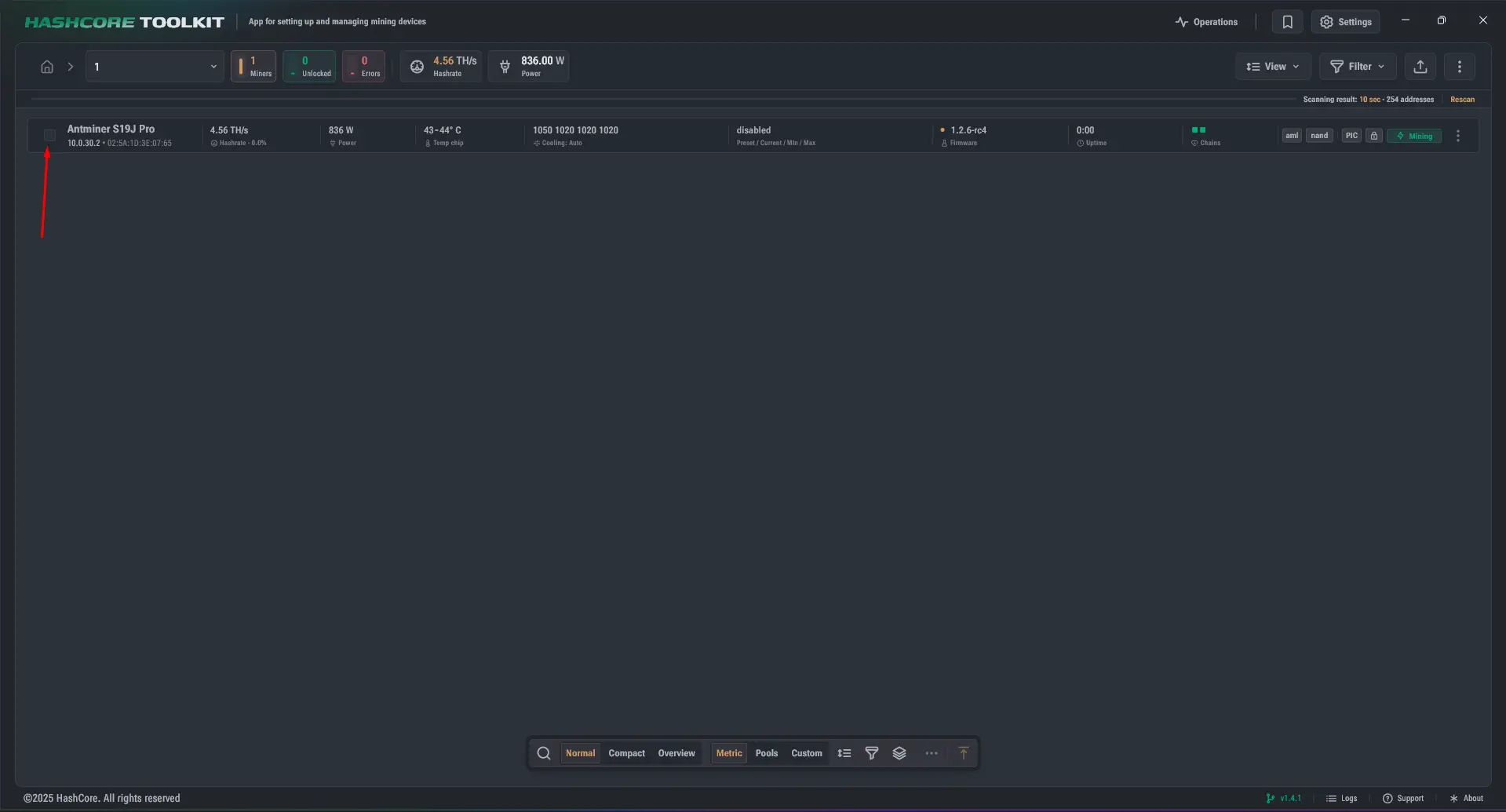
Miner found in the HashCore Toolkit device list - 3
Select the correct miner in the device list.
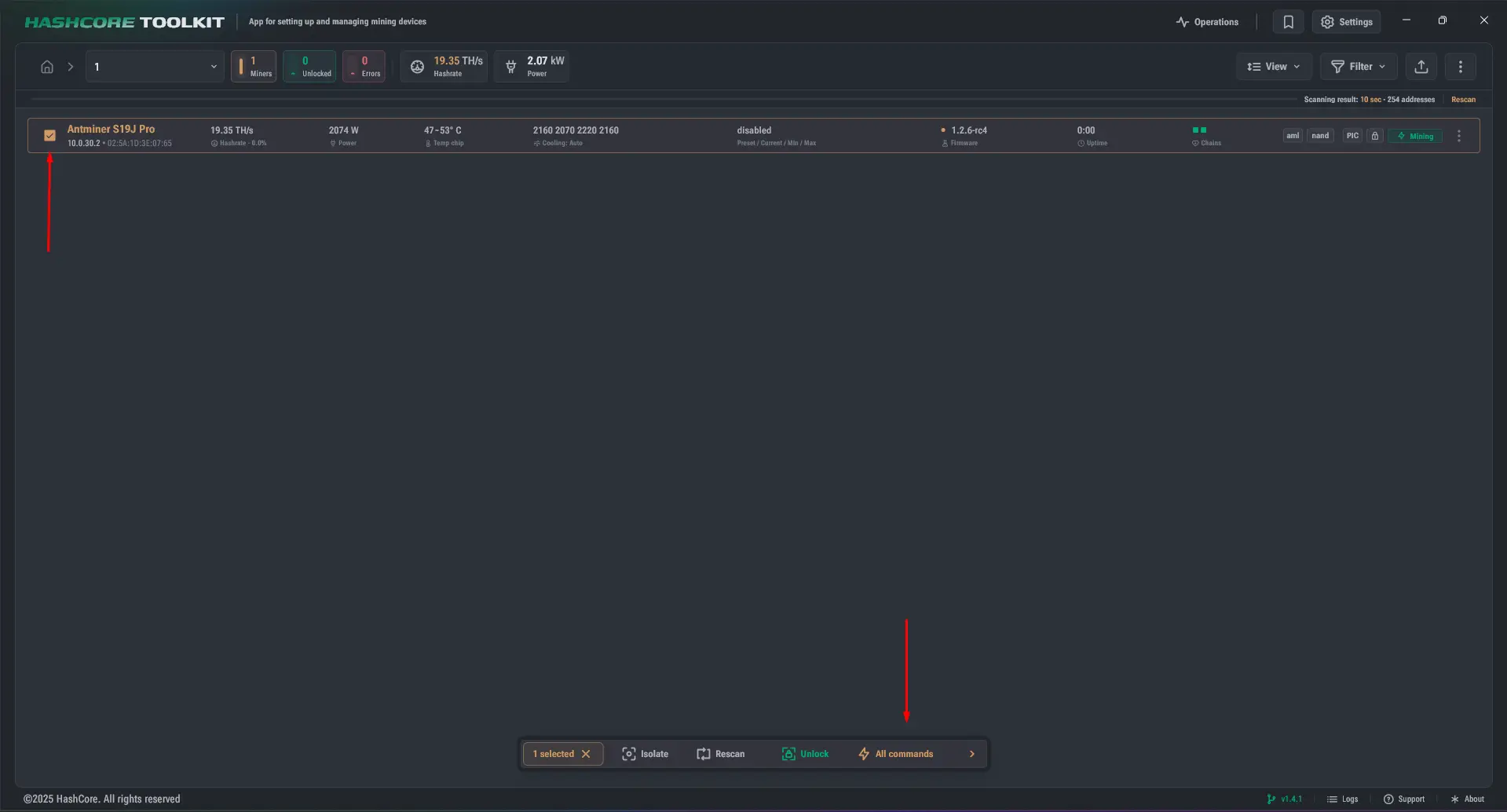
Miner selected in HashCore Toolkit - 4
Open All commands from the action bar.
- 5
Choose Remove firmware to restore the miner to stock firmware.
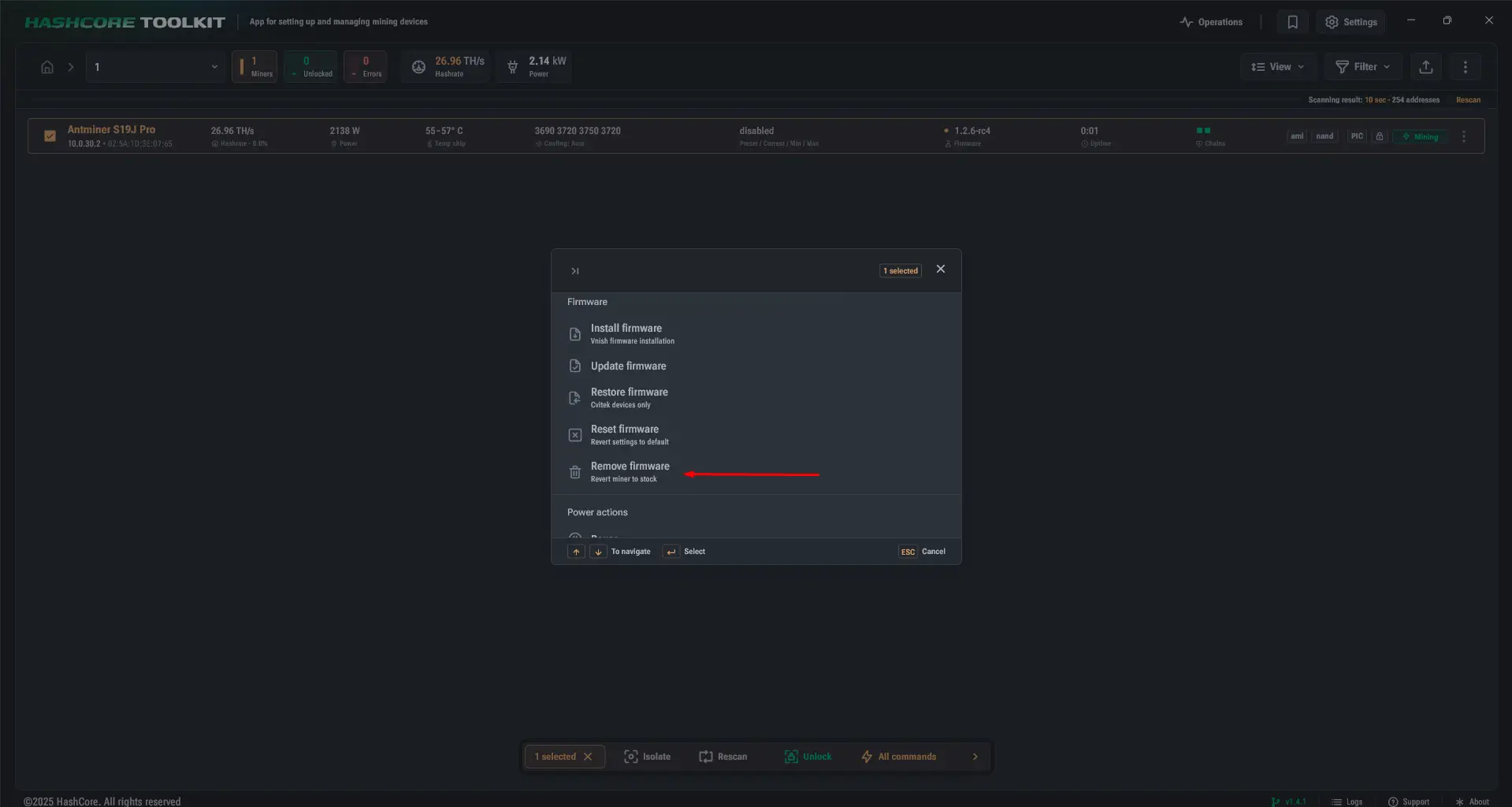
Remove firmware command used to restore stock firmware - 6
Confirm the action by selecting Yes.
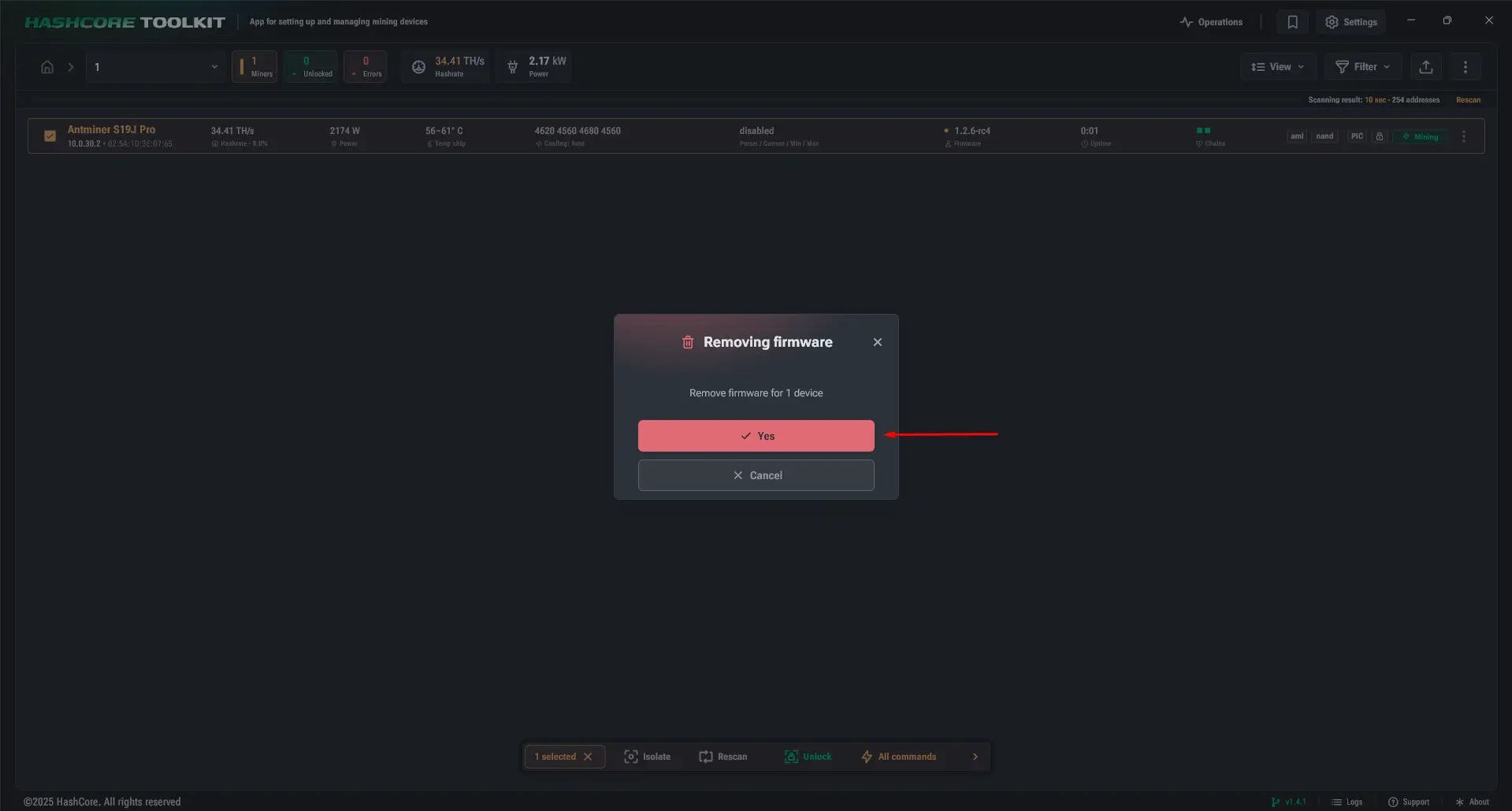
Confirmation dialog for removing custom firmware - 7
Keep power and network connected until the operation finishes and the miner restarts.
Verify the result
- 1
Wait for the complete reboot cycle.
- 2
Open the miner IP address in a browser.
- 3
Confirm that the standard manufacturer interface loads.
- 4
Re-enter network and pool settings if required.
- 5
Check that every hashboard, fan and temperature sensor is detected before returning the miner to service.
When to use SD-card recovery
Use model-specific SD-card recovery when the miner is not reachable, does not boot normally or the Toolkit cannot complete the operation. The image and preparation steps vary by controller, so do not use a generic recovery image.
- Reconfirm the exact controller before downloading the image.
- Follow the manufacturer’s image-writing and LED sequence for that model.
- Contact support when the controller or recovery target is uncertain.