

A correct pool configuration is the first step after installation. Prepare the official stratum address, worker name and any required password before opening the miner interface.
1
Open the miner interface
- 1
Connect to the network where the miner is located.
- 2
Open a browser on your computer or mobile device.
- 3
Enter the miner IP address in the browser address bar.
- 4
Sign in with the password configured for your device.
2
Open the pool settings
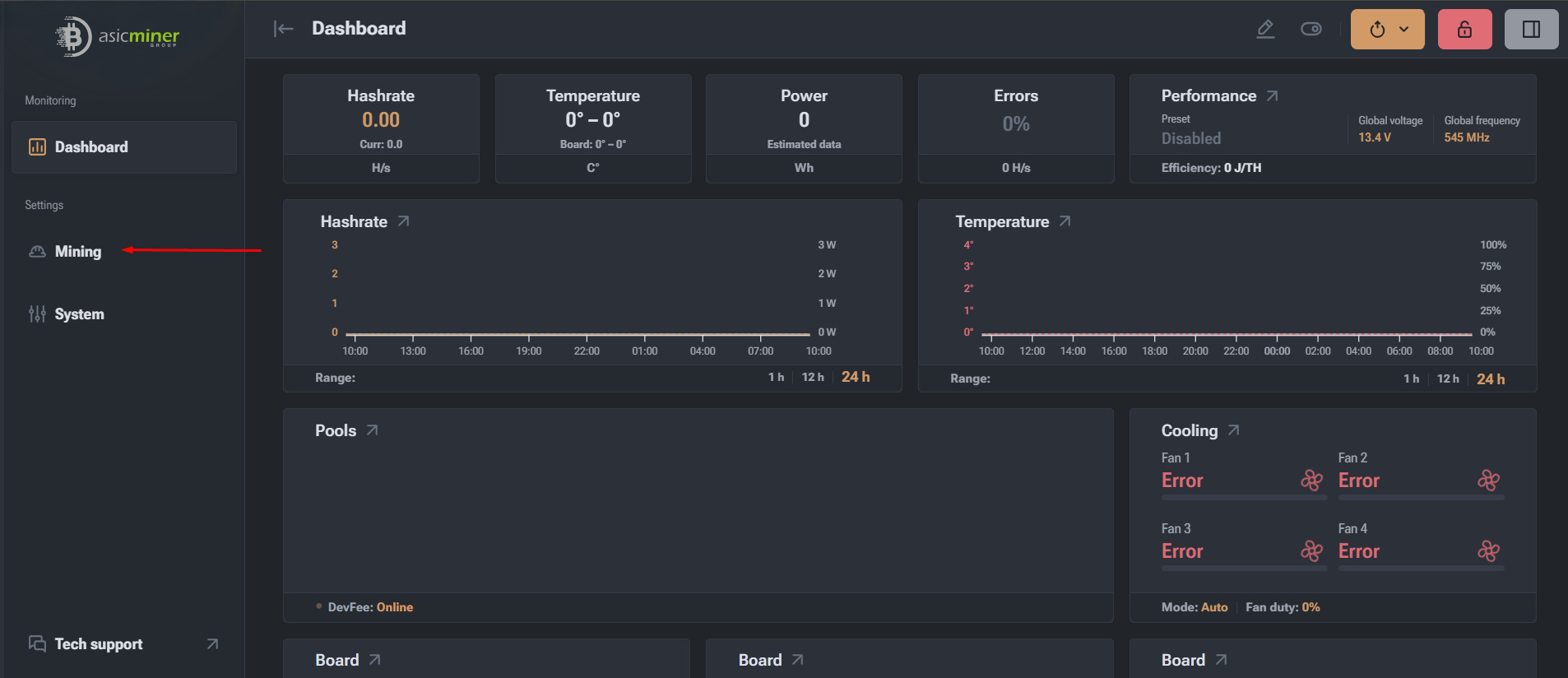
Select Mining in the left-hand menu, then open the Pools tab.
3
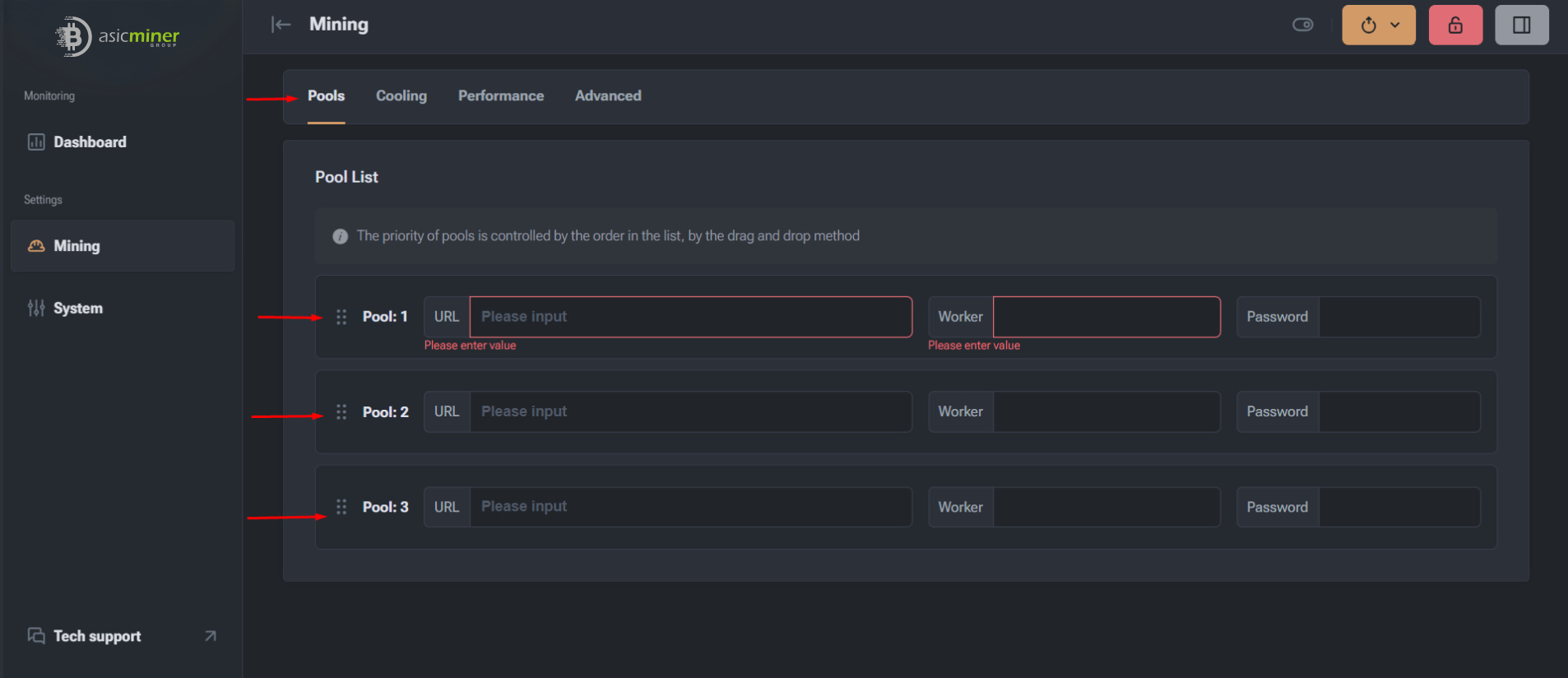
Enter pool details
- URL: the complete stratum address and port.
- Worker: the pool account and worker name in the pool’s required format.
- Password: the worker password, often x when the pool does not require one.
- Backup pools: add secondary addresses in priority order.
4
Save settings and restart
- 1
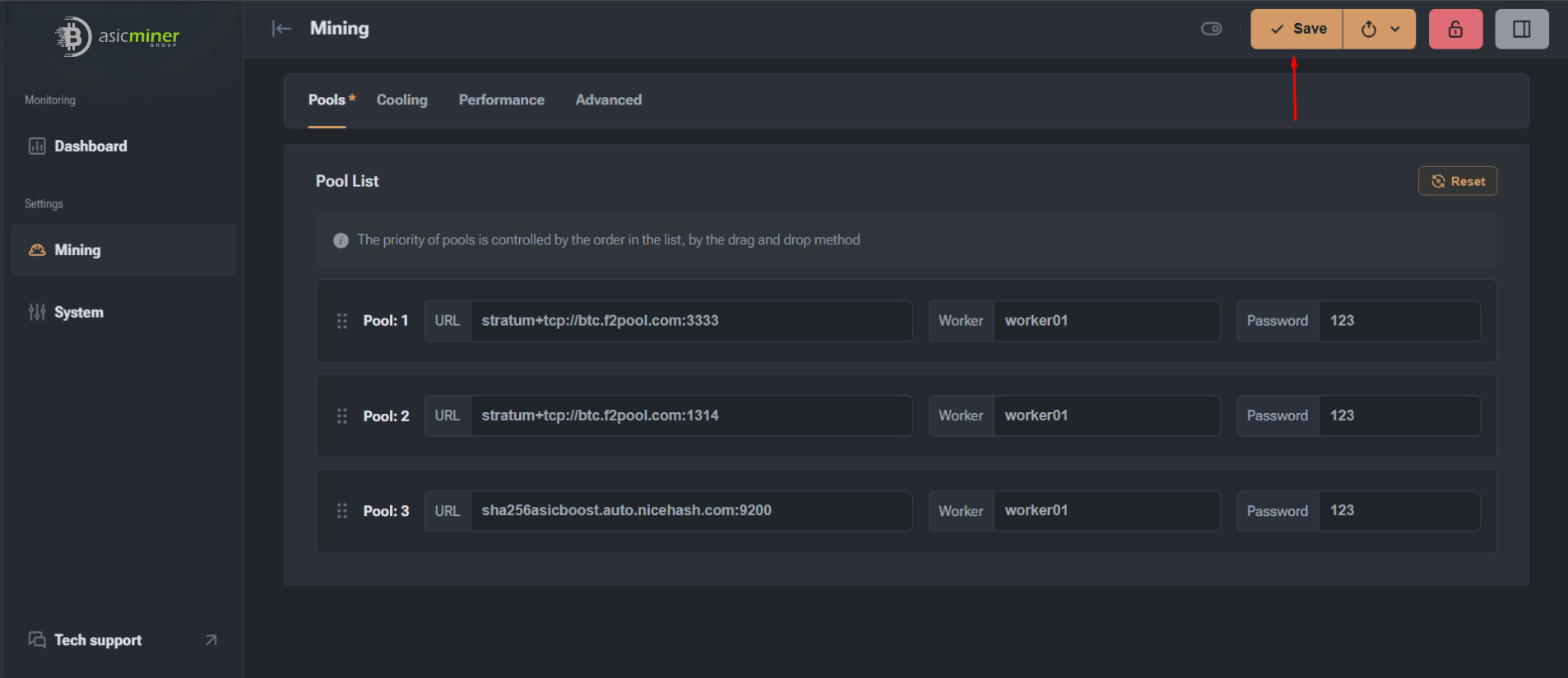
Select Save to store the completed pool configuration.
- 2
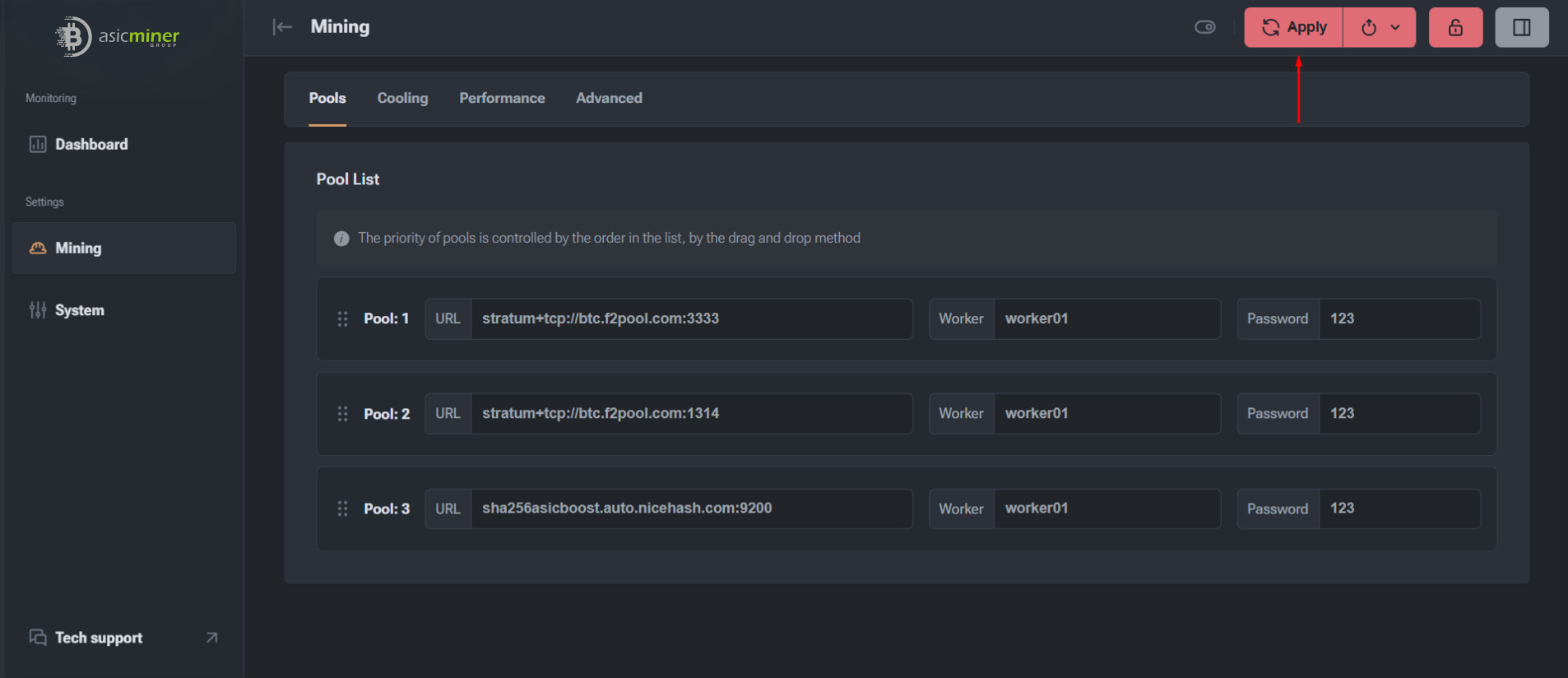
Select Apply to activate the saved settings.
- 3
Allow the miner to restart if requested.
- 4
Confirm that hashrate appears and accepted shares begin increasing.
Important: A configured pool is not necessarily a working pool. Verify accepted shares and the worker status on the pool dashboard before leaving the miner unattended.
Useful tips
- Always use current pool addresses and ports from the pool’s official website.
- Configure at least two pools: a primary pool and a backup.
- Check the pool settings after every firmware update.