

Install Antminer custom firmware step by step
Find the correct firmware for your miner, download the required tools, follow the installation guide and verify the result.
Find the correct firmware for your miner
Select your exact miner model. Add the controller and storage type only after checking them on your device.
Check the exact model, controller and storage type before downloading. Do not select these values by guesswork.
Get the HashCore Toolkit
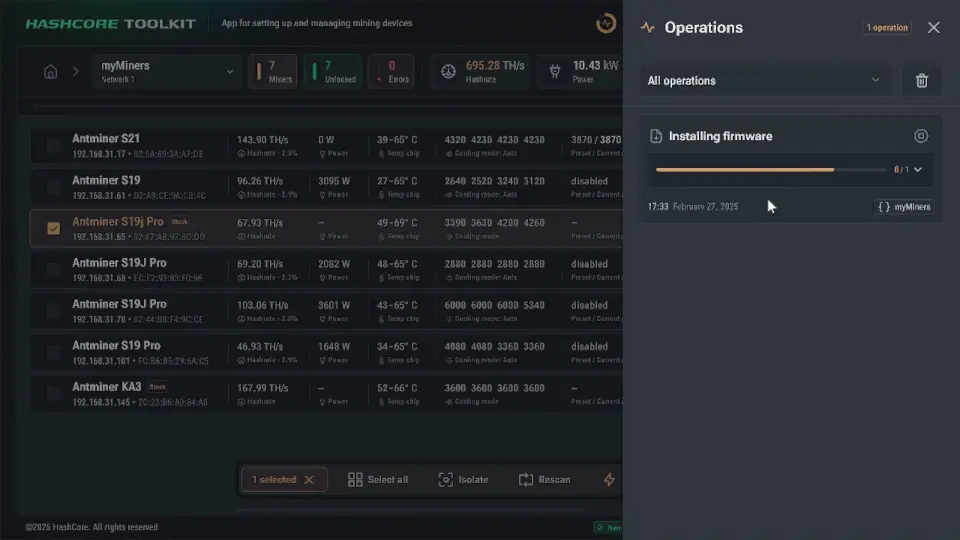
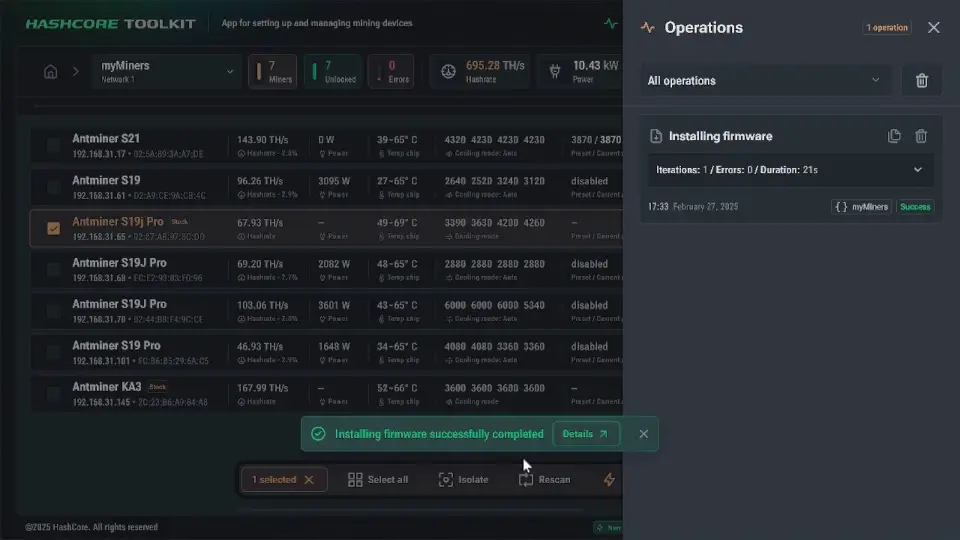
Use HashCore Toolkit to discover supported miners, monitor devices and perform available installation or maintenance operations.


Use the Toolkit only for supported miners and supported operations. It can simplify installation and maintenance, but it is not the only installation route.
Install the firmware
Prepare the miner, upload the correct package and wait until the device completes the installation and reboots.
- 1
Prepare
Check the miner model, save current settings and ensure stable power.
- 2
Upload
Open the miner interface and upload the correct firmware package.
- 3
Reboot
Wait until the installation finishes. Do not disconnect the miner from power.
Verify that everything works
Before changing tuning settings, confirm that the miner is stable and all main components are detected.
- The new firmware version is displayed
- All hashboards are detected
- Temperatures and fans look normal
- Mining pools are connected
- The miner is hashing steadily
- A rollback or recovery package is saved
Explore detailed firmware resources
Use these pages when you need complete instructions, model-specific information or additional downloads.
Not sure which firmware you need?
Send us the exact miner model and photos of the control board or system information screen. We will help you identify the correct package.
Frequently asked questions
Will this firmware work with my miner?
How do I identify my controller and storage type?
Should I use an install package or an update package?
Do I need HashCore Toolkit?
Can I return to the original firmware?
What should I do if the miner does not restart?
What is custom Antminer firmware?
Antminer firmware is the operating software that controls how the miner starts, connects to mining pools, reads sensors, manages fans and distributes work across the hashboards. Custom firmware can add clearer tuning profiles, detailed monitoring and more direct power controls, helping an operator balance hashrate, efficiency and temperature for a specific installation.
A firmware package is not universal. It must match the exact miner model, control board and storage type, and the correct install or update route must be used. Before flashing, save the current settings and keep a matching rollback or recovery package. During installation, maintain stable power; after reboot, verify the firmware version, hashboards, temperatures, fans, pools and hashrate before changing performance settings.