

Performance profiles change the balance between hashrate, power consumption, temperature and stability. Start conservatively, measure the result and increase performance only when cooling and power remain stable.
Open the miner interface
- 1
Open a browser and enter the IP address of the miner running ASIC Miner firmware.
- 2
Sign in with the password configured for your device.
Open Performance settings
- 1
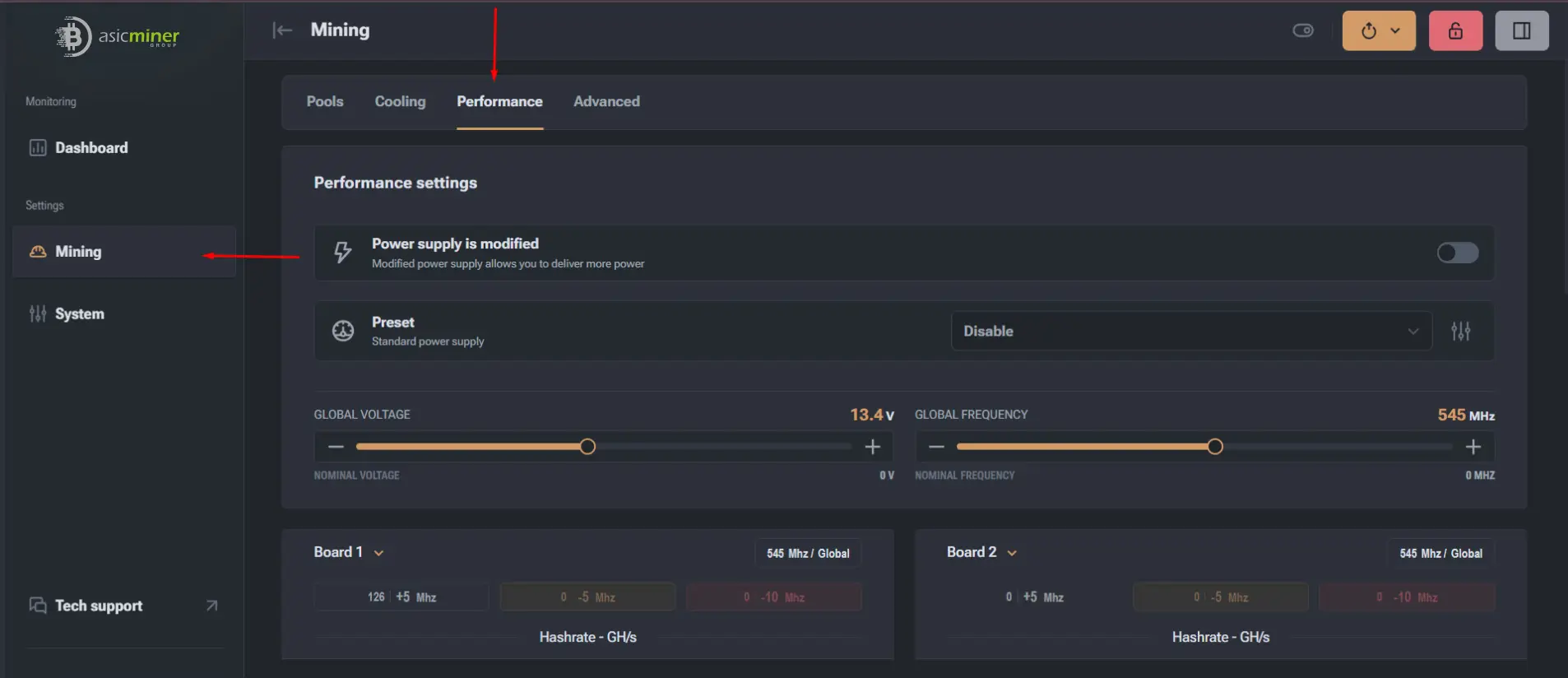
Select Mining in the left-hand menu.
- 2
Open the Performance tab.
- 3
The available presets for your ASIC model will appear.
Choose a performance profile
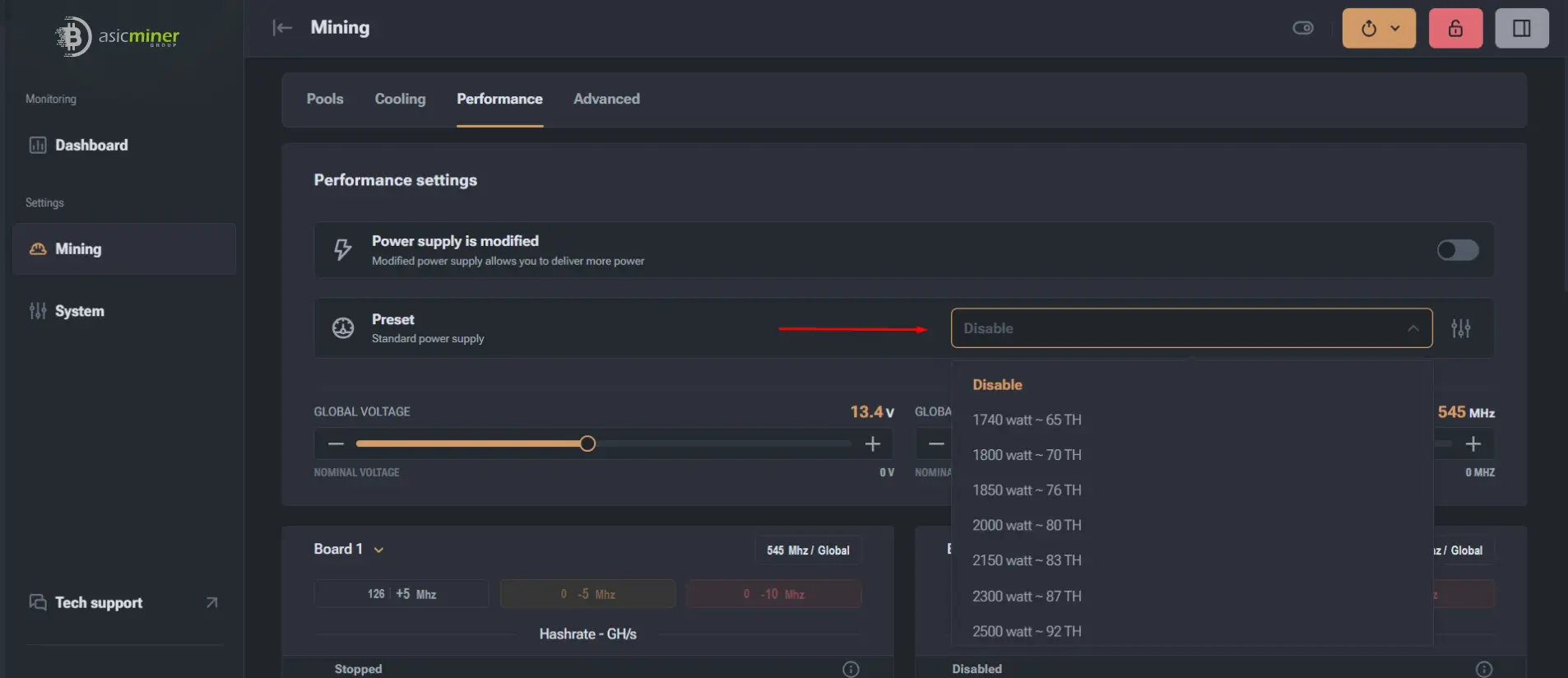
Open the Preset list and review the expected power and hashrate of each available profile.
Apply the selected profile
- 1
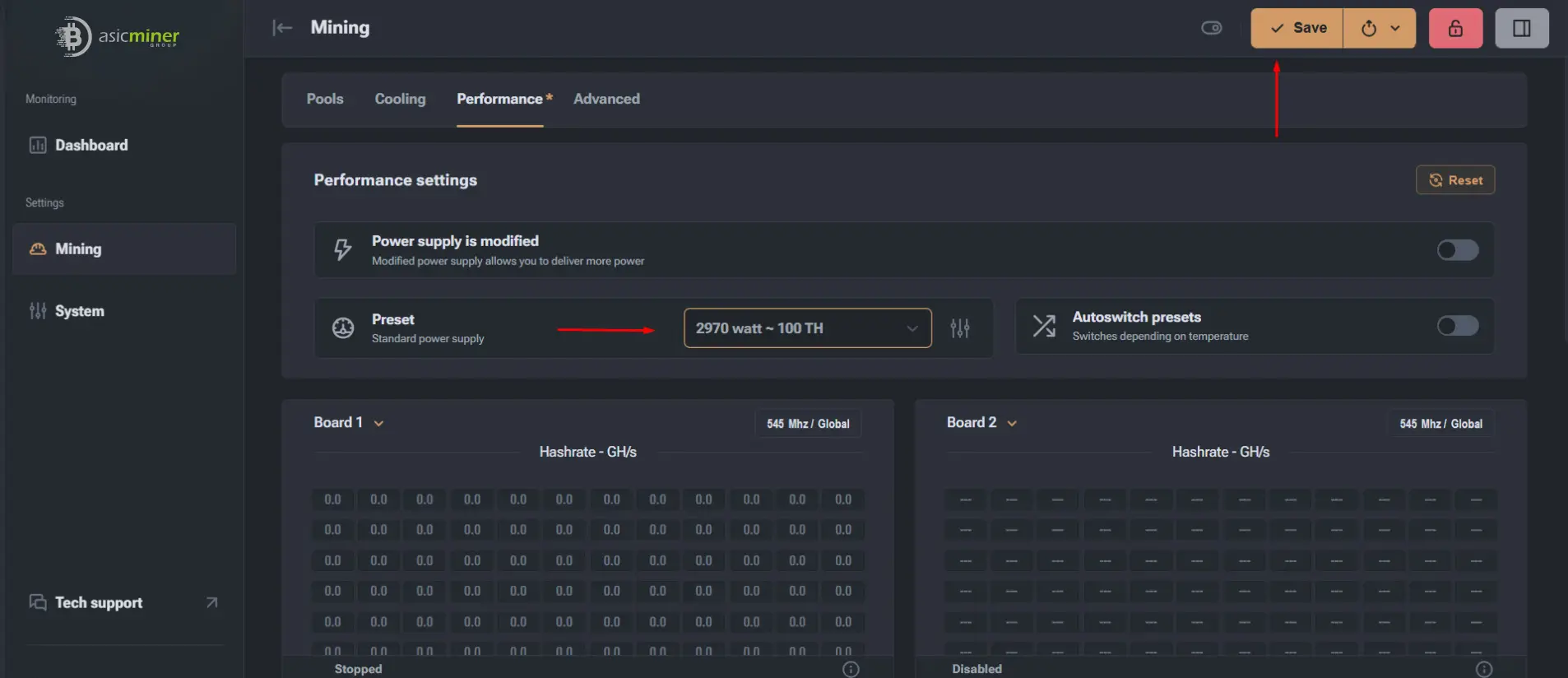
Select a profile based on the required power and hashrate.
- 2
Select Save to store it as the active profile.
- 3
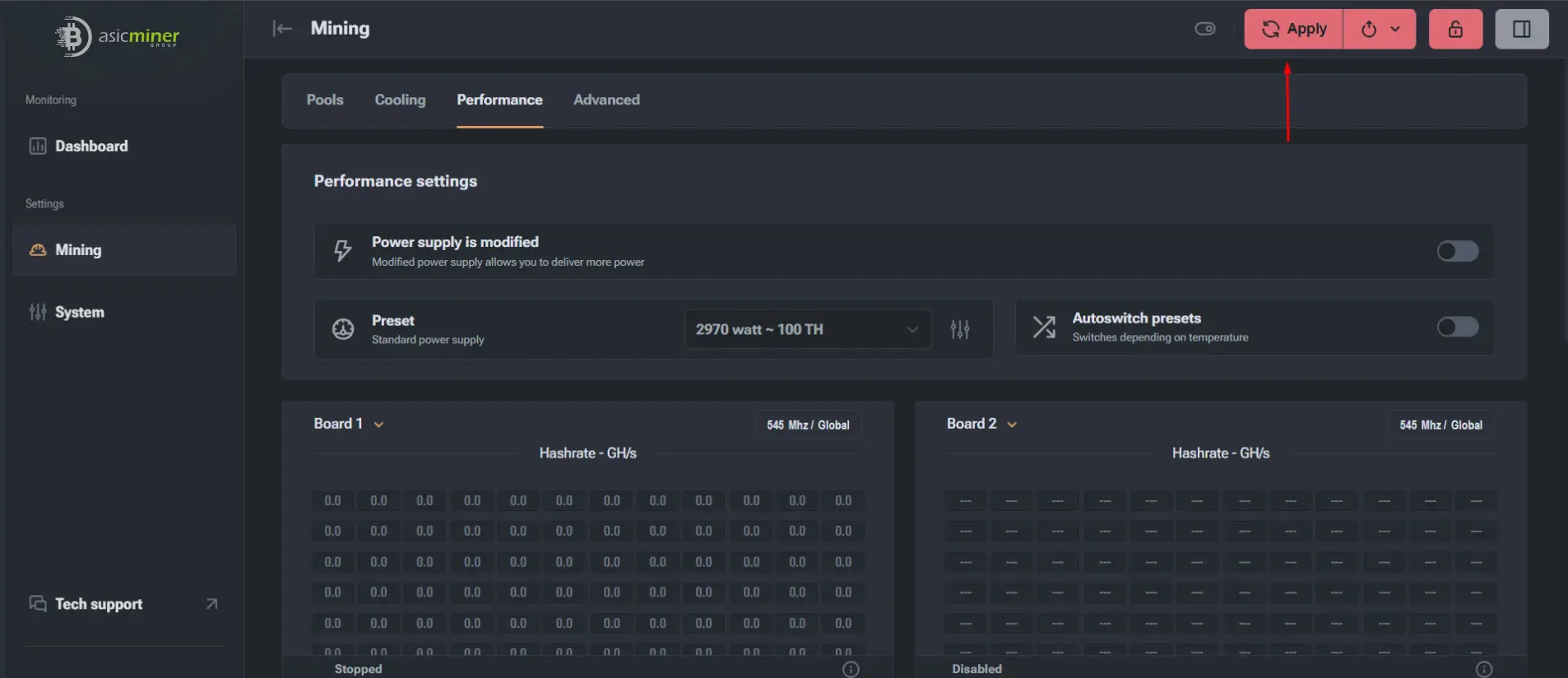
Select Apply to restart the miner in the new mode and begin autotuning.
Which profile should you choose?
Choose according to ambient temperature, ventilation, cooling type, power stability and the condition of the miner.
- Use a higher-performance profile only with reliable cooling and stable power.
- Use a moderate profile when conditions are less stable or the hardware is older.
- Balance hashrate, energy efficiency and long-term stability instead of selecting the highest value automatically.