

The miner model alone is not enough to select firmware safely. The same Antminer family may ship with different control boards, so confirm the controller and storage target before downloading any package.
Why the controller matters
Firmware packages are built for specific processor architectures and storage layouts. A package for the wrong board may fail to install or leave the miner unavailable until it is recovered.
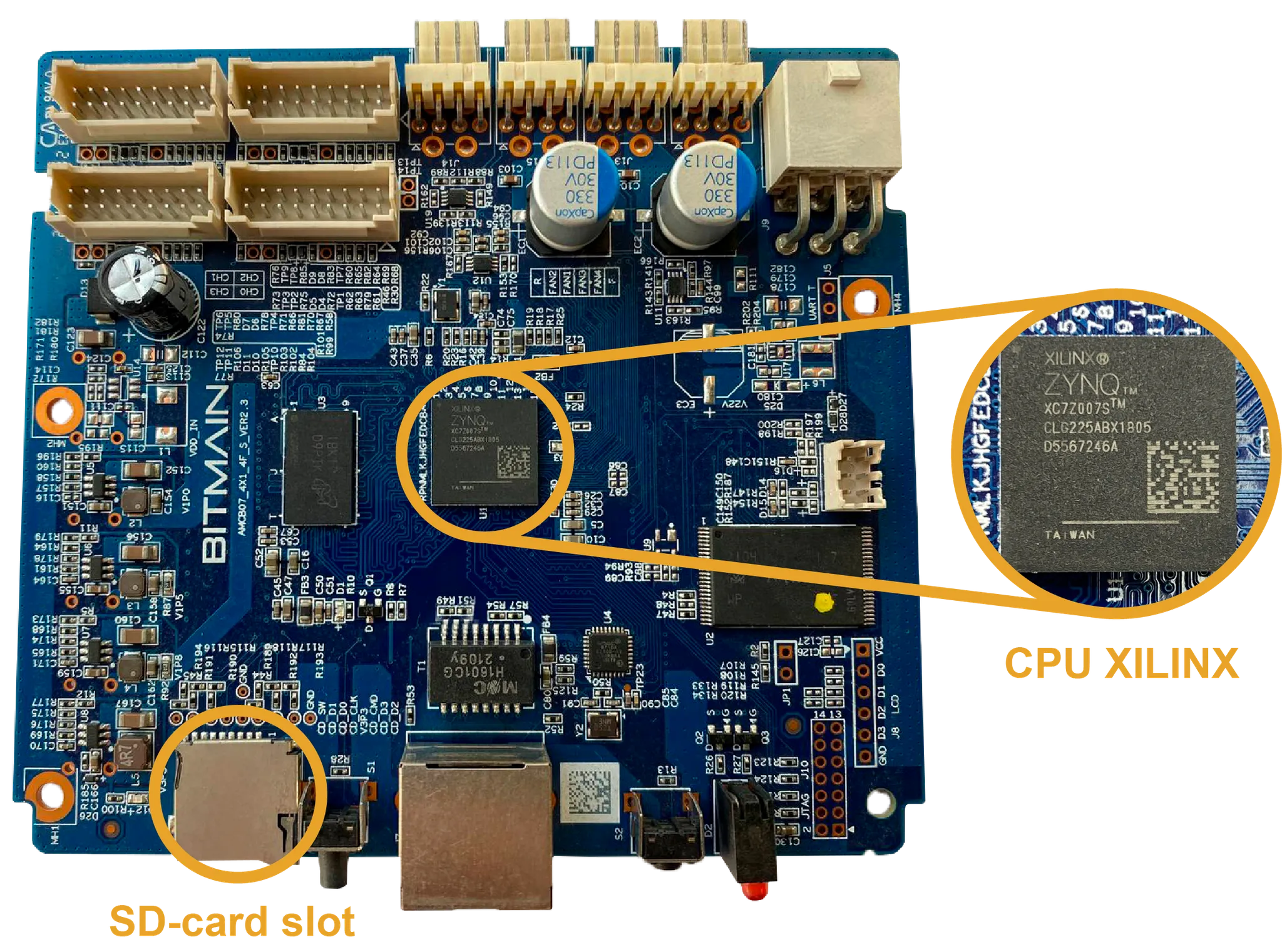
Xilinx (XIL)
Common on S19, S19 Pro and T19 miners. Look for an SD-card slot on the front panel and a main processor marked Xilinx.
- Front-accessible SD-card slot
- Processor or board marking includes Xilinx
- Board colour and small components may vary by revision
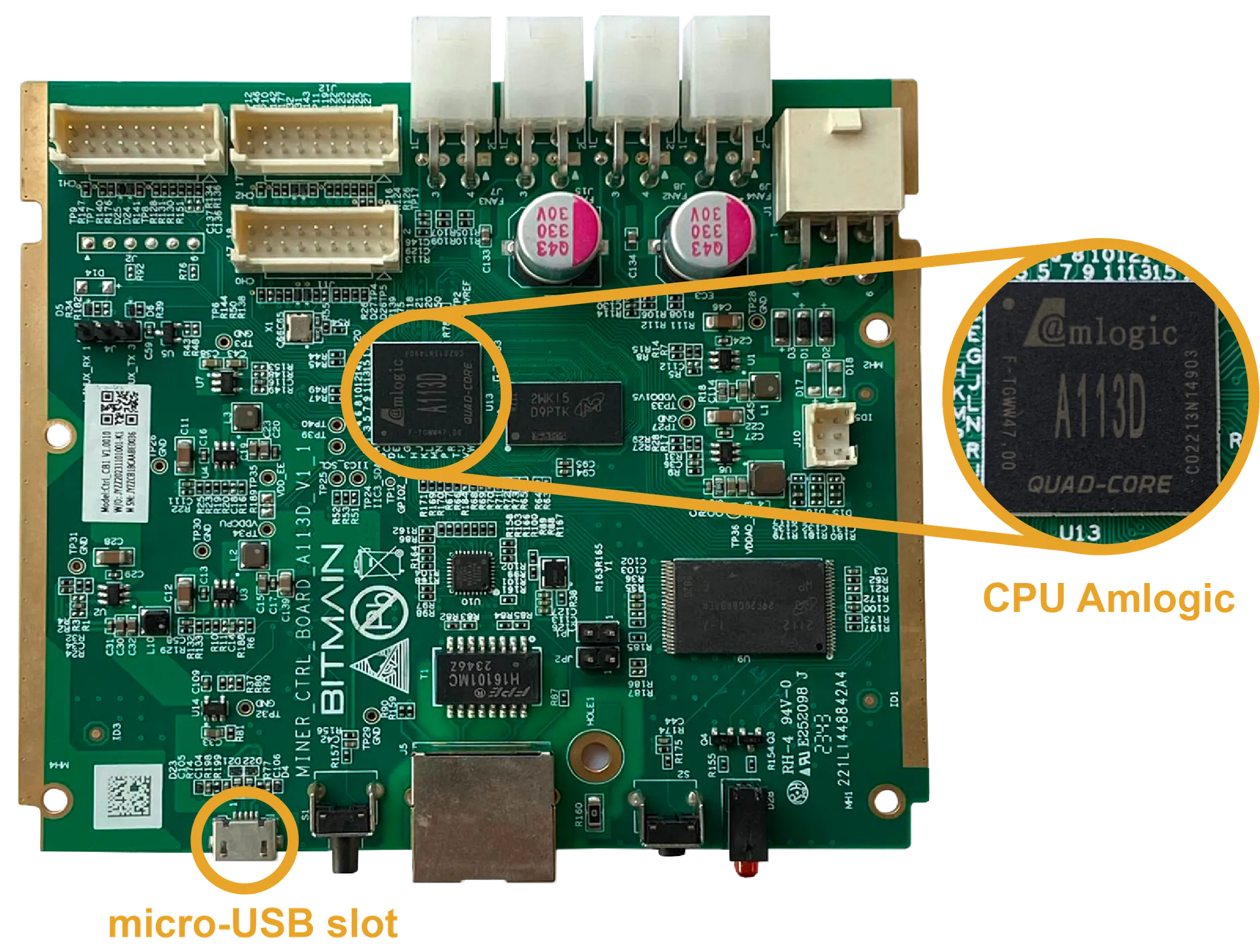
Amlogic (AML)
Used across many S19 and S21 variants, including S19j Pro, S19 XP, S21 and T21. A Micro-USB connector on the front is the easiest external clue.
- Micro-USB connector on the front panel
- Processor marking includes Amlogic
- Always match both model and package storage target
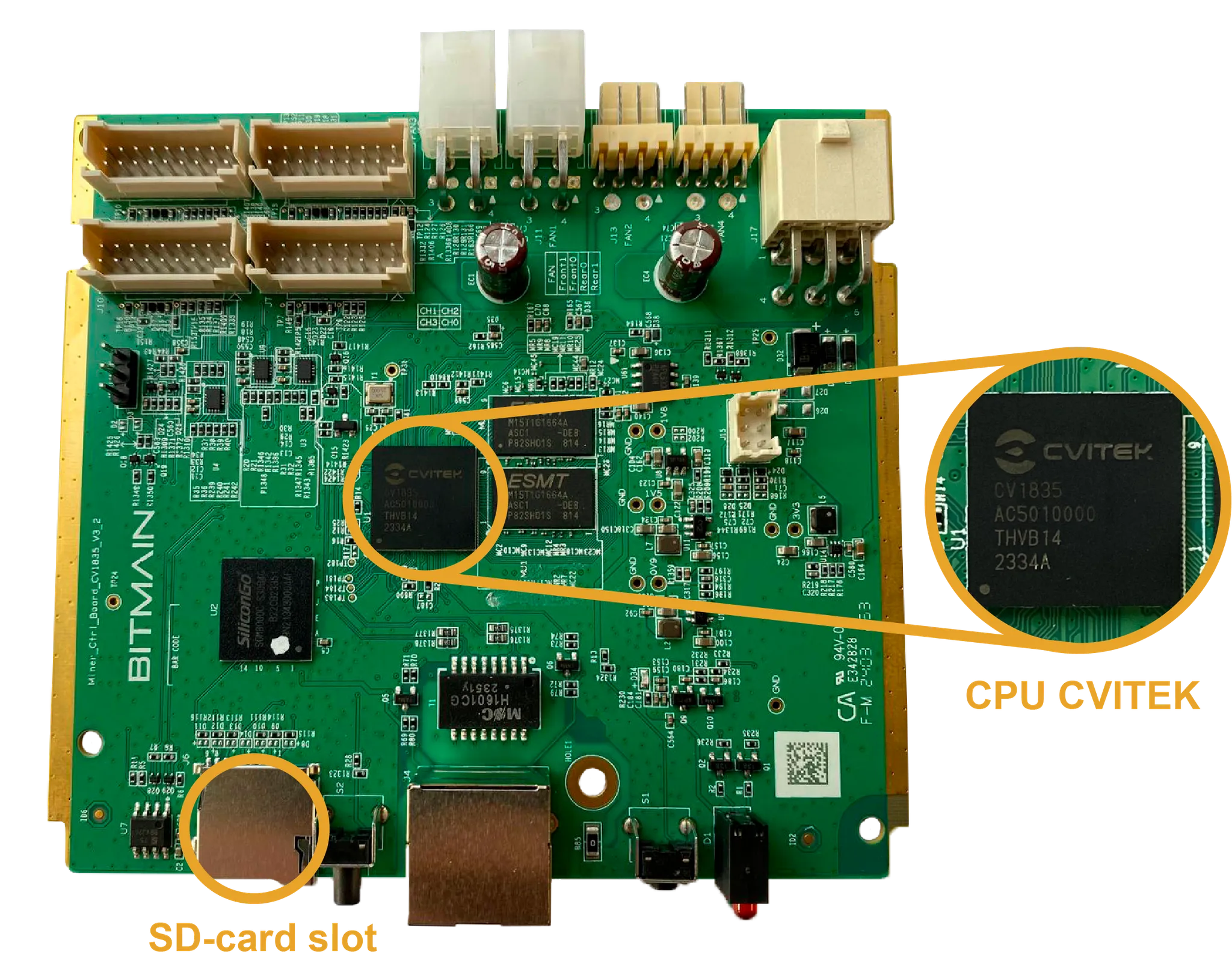
CVitek (CV)
Often found in S19, S19K Pro and T21 miners. It normally has a front-accessible SD-card slot and a processor marked CVITEK.
- Front-accessible SD-card slot
- Processor marking includes CVITEK
- Do not identify it by PCB colour alone
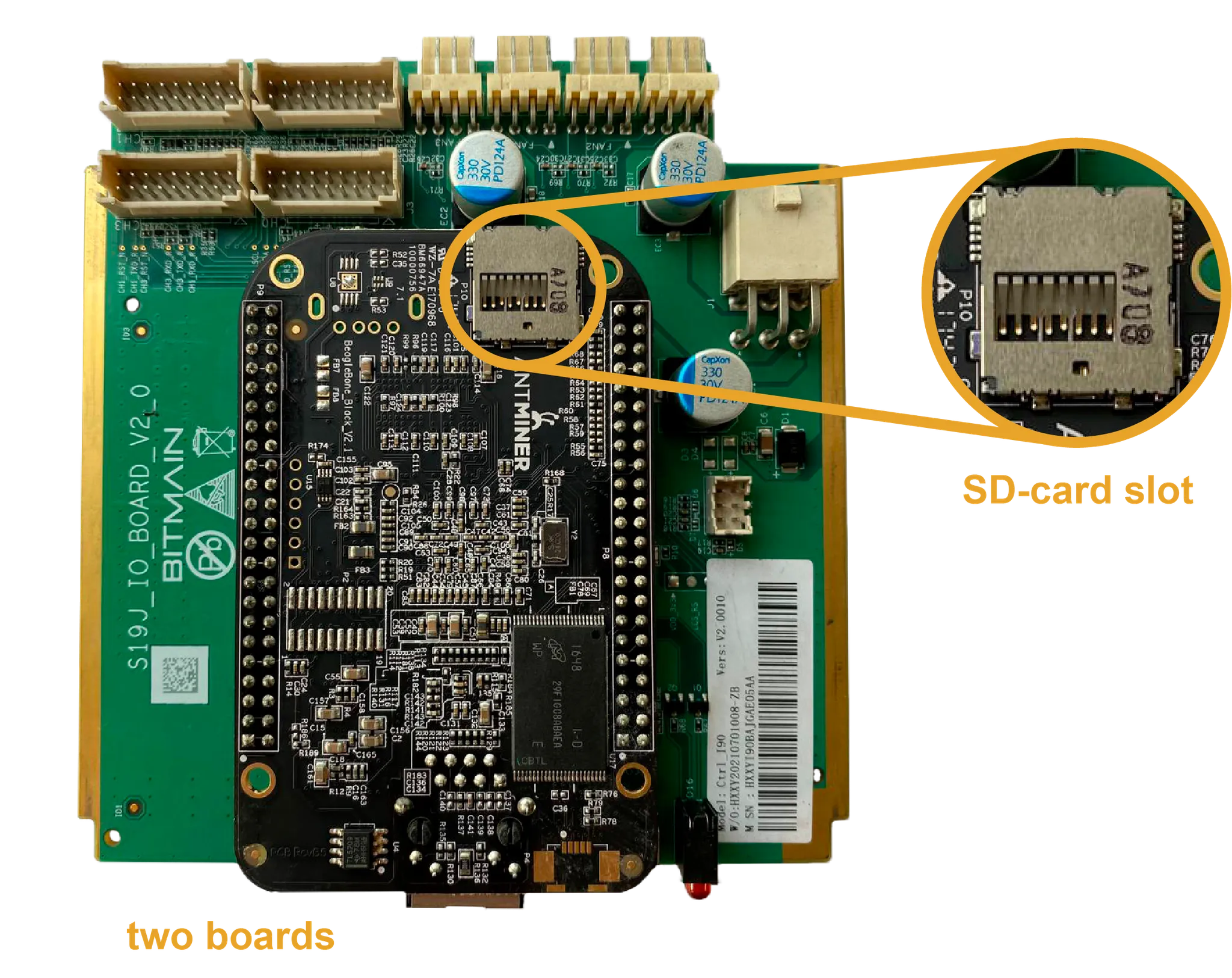
BeagleBone (BB)
Common on S19j and S19j Pro miners. The assembly has two boards stacked together, and the SD-card slot is internal, so opening the miner is normally required to inspect it.
- Two-board stacked assembly
- Internal SD-card slot
- Disconnect power before opening the miner
Record the result before downloading
- 1
Write down the full miner model from its label or web interface.
- 2
Record the controller family: XIL, AML, CV or BB.
- 3
Confirm whether the required package targets SD card or internal NAND.
- 4
Use all three values in the firmware finder.